How to Create an App using QuikApp
This guide walks you through the step-by-step process of creating your mobile app using QuikApp.
QuikApp allows you to convert your website into a fully functional mobile app with minimal effort.
- Log in to your QuikApp account.
- Navigate to the App Dashboard.
- Click on the “+” (Create New App) button.
Before proceeding, you will see a Prerequisites screen that outlines what you need:
- Website URL – The website you want to convert into an app
- Domain Verification – To confirm ownership of your domain
- App Icon & Splash Screen – For branding and visual identity
- Firebase Project – Required for push notifications and integrations
- Developer Accounts – Needed for publishing on Play Store and App Store
- Keystore & Certificates – Required for securely signing your app
- A detailed prerequisites video is available in the Tutorial description.
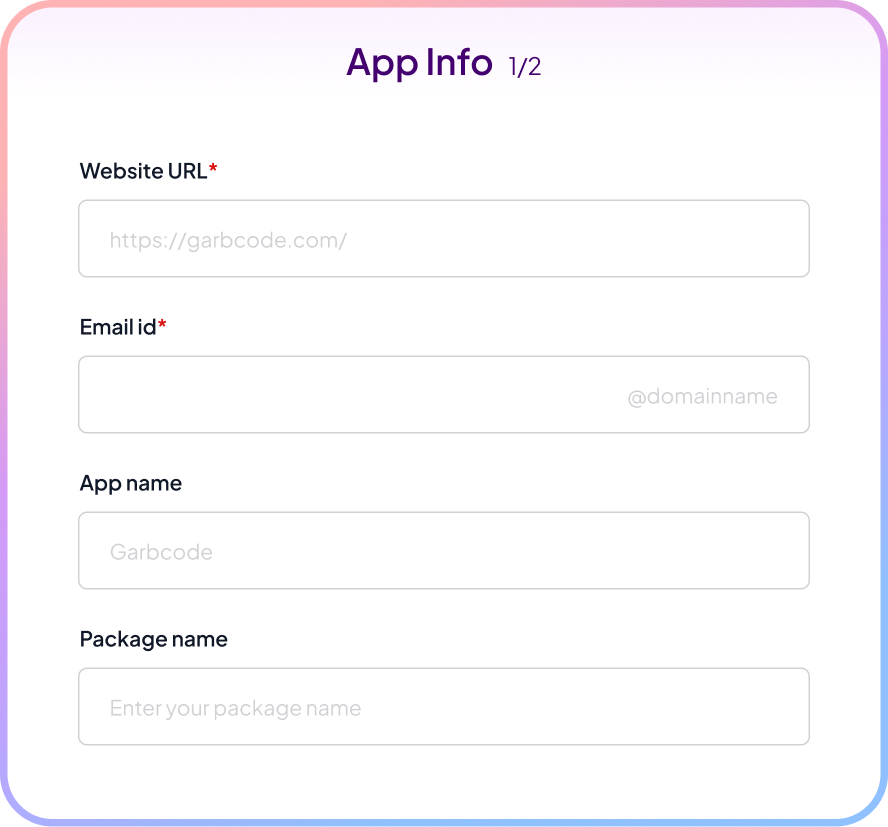
Once all requirements are ready, click Continue. You will now be taken to the App Info screen.
Required Fields:
Website URL
- Enter your full website URL
- Example: https://example.com
- This is the content your app will load
Email ID
- Enter your email address
- Click Verify to confirm
App Name
- Enter your App name
- This name will appear on user devices
Package Name / Bundle ID
- Auto-generated by QuikApp
- Format: com.companyname.appname
- Example: com.garbcode.garbcode
- Can be edited later in App overview if needed
Tags
- Add relevant tags (ecommerce, shop, fashion, etc.)
- Helps in internal organization and categorization
Live Preview:
On the right side, you’ll see a real-time mobile preview of your app based on your website URL.
After entering all details, click Next.
- You will be redirected to the Plan Selection screen.
- Click on Explore Plans.
- Select the Default Plan (or any preferred plan).
- Click Continue.
Once the plan is selected, you will be redirected to the App Overview Dashboard.
From here, you can start building and managing your app.
You can configure the following:
- App Settings – Basic app configurations
- Smart Features – Enable advanced functionalities
- App Integrations – Connect external services
- App Customization – Modify UI/UX and design
- App Permissions – Control device access
From the dashboard, you can also:
- Track your app build status
- View build history
- Manage updates and versions